How to use Instagram on a Mac or Chromebook
On a Mac or Chromebook, the straightforward way to use Instagram is the website, instagram.com, in Chrome, and you can install it as an app in Chrome for its own window. Some Chromebooks can also run the Android app from Google Play. Chrome extensions from the Chrome Web Store, such as InstaDesk, work on both and add story links, songs and scheduling, though not on Safari.
What are your options on each system?
| Method | Mac | Chromebook | Who it suits |
|---|---|---|---|
| instagram.com in Chrome | Yes | Yes | Everyone, nothing to install |
| Installed as an app in Chrome | Yes | Yes | People who want its own window |
| Android app from Google Play | No | Some models | Chromebook owners who want the phone layout |
| InstaDesk in Chrome | Yes | Yes | People posting stories with links, songs or schedules |
Is there an Instagram app for Mac?
Mac guides such as this one report that Instagram has no Mac App Store app, and we found nothing from Meta saying otherwise. Check the App Store in case that's changed. Be careful with third-party "Instagram for Mac" apps that ask for your login.
How do I install Instagram as an app in Chrome?
This gives instagram.com its own window and icon. It's the same website inside. From Chrome's help page:
- Open instagram.com in Chrome.
- Click the three dots at the top right, then Cast, save, and share.
- Choose Install page as app and follow the steps. The wording can differ a little by system.
Can you get the Instagram app on a Chromebook?
On some models. Google says the Play Store is only available for some Chromebooks, and that some apps won't install on certain models. Look under Settings > Apps > Manage Google Play preferences. If it's there, search for Instagram in the Play Store. On a school or work Chromebook, your admin may block it.
How do I post to Instagram from a Mac or Chromebook?
Start with the website's Create button, which guides describe for photos, carousels and reels. To go further, InstaDesk adds a Create panel to instagram.com in Chrome, and it needs no Facebook Page or second app.
- Open the extension's page in the Chrome Web Store in Chrome and click Add to Chrome. It won't work in Incognito or guest mode.
- Open instagram.com and refresh if it was already open.
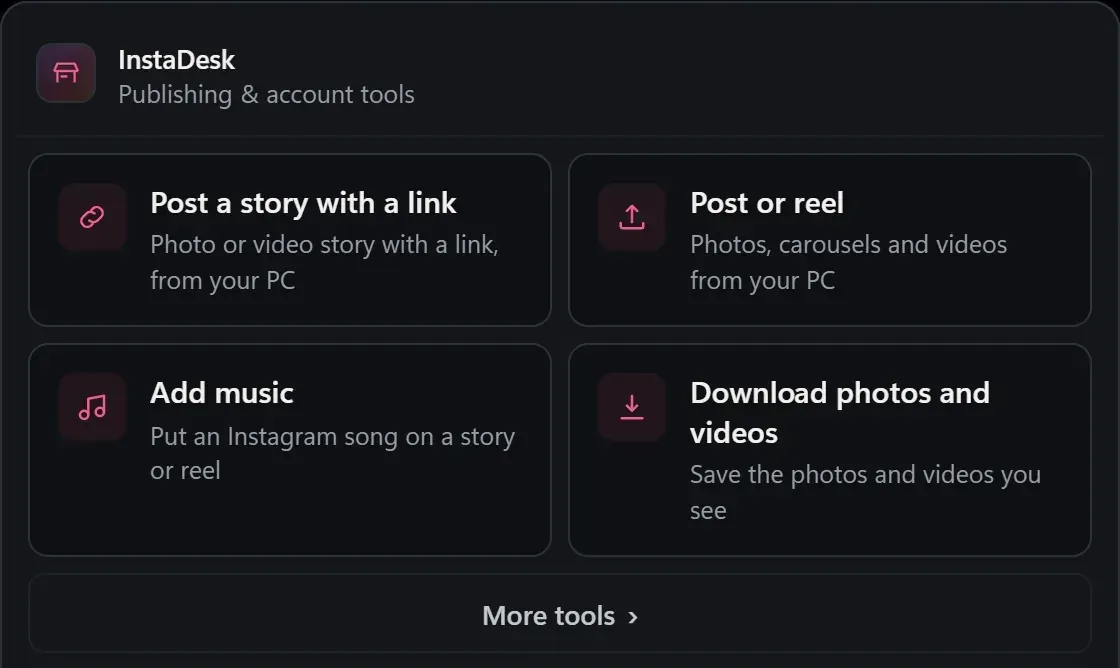
- Click the InstaDesk launcher and choose Post a story with a link, Post or reel or Add music.
- Drag your files in from Finder or the Files app, or press Choose from computer.
- Press Share.
The guides on story links, reels and carousels work the same on these systems. On a Mac, the Ask shortcut is Command+Shift+K; elsewhere it's Ctrl+Shift+K.
What are the limits on Mac and Chromebook?
- Safari and Firefox: InstaDesk needs Chrome, or another Chromium browser that installs from the Chrome Web Store, such as Microsoft Edge.
- iPhone photos: if Chrome can't read a photo, such as some HEIC files from an iPhone, InstaDesk can't make it into a story with a song. Export it as a JPEG first.
- School and work computers: your organization may block extensions.
- Slower machines: a song or link on a video is prepared in your browser, so it may take longer on a low-powered Chromebook.
- Testing: InstaDesk is mostly built and tested on Windows. Its code has no separate Mac or Chromebook version, but those systems get less hands-on testing, so check your first post on your phone.
- Pro and tries: new installs of InstaDesk 4.0.5 and later get 3 free tries each of link stories, songs and downloads. See the pricing section.
Common questions
Does InstaDesk work on a Chromebook?
Yes. It installs from the Chrome Web Store and runs in Chrome, unless your school or work blocks extensions.
Does InstaDesk work in Safari on a Mac?
No. Use Chrome, or another Chromium browser that installs from the Chrome Web Store.
Can I use InstaDesk on an iPhone or Android phone?
No. It runs on a computer.