How to post reels from your PC
You can post a reel from a PC on instagram.com: click Create, upload your video and share it. Meta Business Suite adds trimming and scheduling for professional accounts, and a Chrome extension such as InstaDesk adds Instagram's songs, a cover slider and scheduling from your browser. The main thing the plain website misses is popular music.
Which way of posting reels from a PC suits you?
| Method | Who it suits | Watch out for |
|---|---|---|
| instagram.com | A finished video, posted right now, nothing to install | No popular audio, and only cropping for editing |
| Meta Business Suite | Professional accounts connected to a Facebook Page that want to schedule | Meta's Sound Collection rather than popular audio |
| InstaDesk | Any account in Chrome that wants an Instagram song or scheduling | 3 free songs on new installs, then Pro |
How do I upload a reel on instagram.com?
These steps are from Sked's April 2026 guide:
- Log in at instagram.com and click Create in the left sidebar.
- Drag in an MP4 or MOV, or click Select from computer.
- Crop to 9:16 and click Next.
- Pick a cover if you're offered one, then click Next.
- Add your caption, location and alt text, then click Share.
How do I post a reel with Meta Business Suite?
You need the Instagram professional account connected to a Facebook Page. Then, from the same guide:
- Go to business.facebook.com and choose your business account.
- Click Create Reel and choose Instagram.
- Add your video, then trim it, add text or pick a sound from Meta's Sound Collection.
- Add your caption and thumbnail.
- Choose Share Now, Schedule or Save as Draft.
How do I post a reel with music from my computer?
InstaDesk adds a Create panel to instagram.com. Its song goes on as Instagram's own track rather than a sound you mixed in yourself, as this guide explains.
- Add the extension to Chrome and open instagram.com. Refresh if the tab was already open.
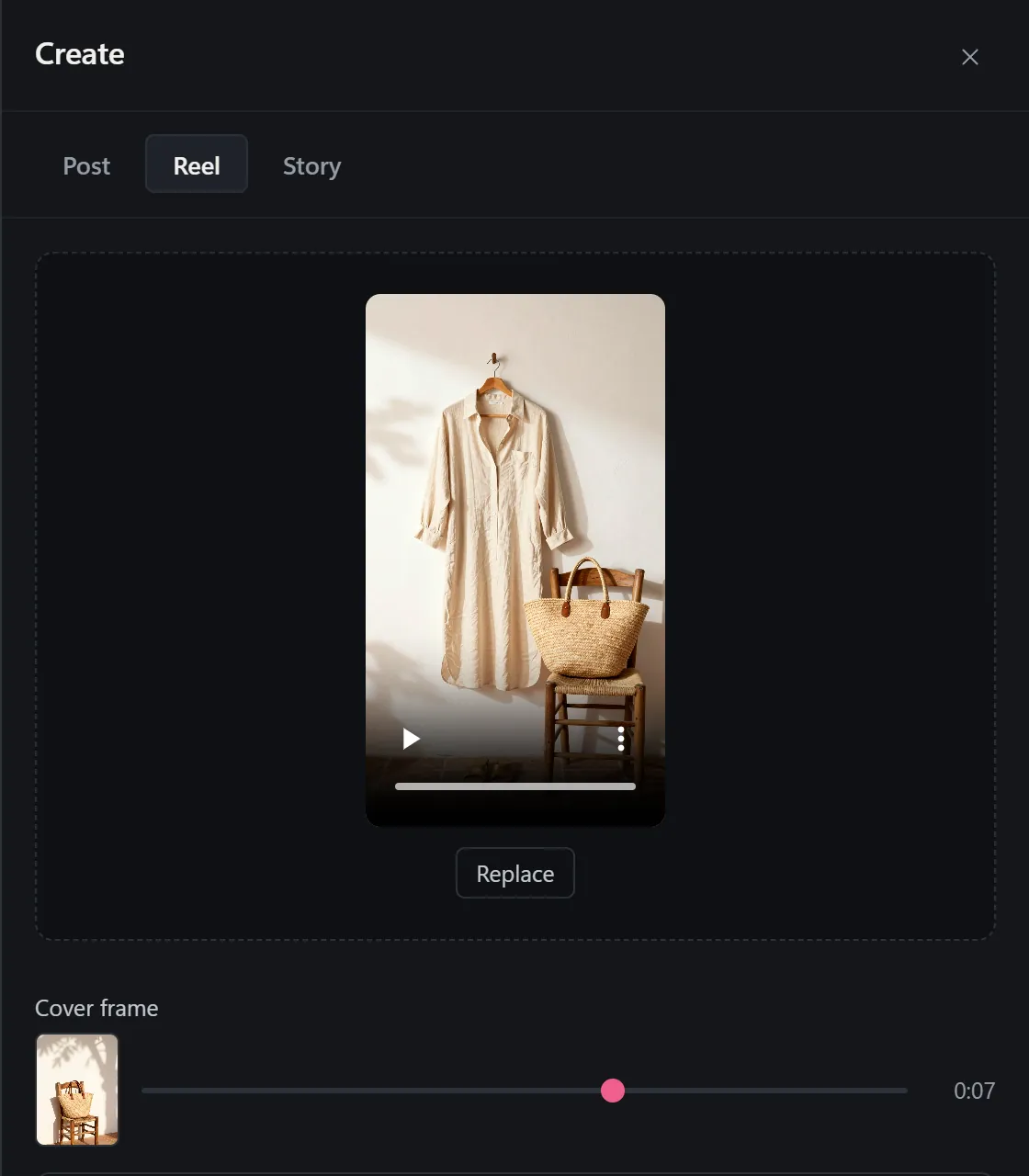
- Click the launcher, choose Post or reel, then the Reel tab.
- Drag in one video of up to 15 minutes.
- Move the Cover frame slider to choose your cover.
- For a wide video, turn on Show the whole video. It adds bars above and below so the sides aren't cut off.
- Write your caption. Use Music, Tag people, Location and Options underneath.
- Press Share, or use Schedule to send it later.
- Check the reel on your phone, and make sure the song is playing.
What are the limits?
- Length: InstaDesk's Reel tab takes up to 15 minutes. One March 2026 guide puts Instagram's limit at 20 and says reels over 3 minutes are rarely recommended to non-followers. Show the whole video works on videos of up to 3 minutes.
- Songs: new installs of InstaDesk 4.0.5 and later get 3 free songs, then songs are Pro. A reel with no song doesn't use a try. See the pricing section.
- Silent failures: a reel's song label can fail without an error, and the code can't see it. That's why step 8 matters.
- Format: MP4 with H.264 video and AAC audio is the safe choice for any of these routes.
- Scheduling: InstaDesk posts scheduled reels while Instagram is open in a tab, and 2 can wait at a time on the free plan.
- Reach: no method here changes how many people see your reel, and we can't promise anything about how Instagram treats an account.
Common questions
Can I post a reel from my laptop?
Yes. instagram.com, Meta Business Suite and Chrome extensions such as InstaDesk all upload from a laptop.
Can I schedule reels from a computer?
Yes. Meta Business Suite can for professional accounts, and InstaDesk can in Chrome. Sked says instagram.com's browser route can't.
Why doesn't instagram.com show trending music for my reel?
The browser route doesn't offer popular audio, so you need the phone app or a tool that adds Instagram's songs.