How to schedule Instagram stories from your PC
To schedule an Instagram story from a PC, build it on the Story tab of InstaDesk's Create panel on instagram.com, open the Schedule tab and pick a date and time. It goes up while Instagram is open in a Chrome tab, and on the free plan 2 scheduled posts can wait at a time.
How do I schedule a story with InstaDesk?
- Add InstaDesk to Chrome and open instagram.com. Refresh the tab if it was already open.
- Click the InstaDesk launcher, choose Post or reel, and open the Story tab.
- Drag in a photo or a video of up to 60 seconds. Add up to 10 to schedule a whole story set.
- Add a link sticker or a song if you want one. A single story can take a song; a set can't. Under Options, choose Close friends only or Keep up for 48 hours if you need them.
- Open the Schedule tab instead of pressing Share, pick a date and time, and confirm.
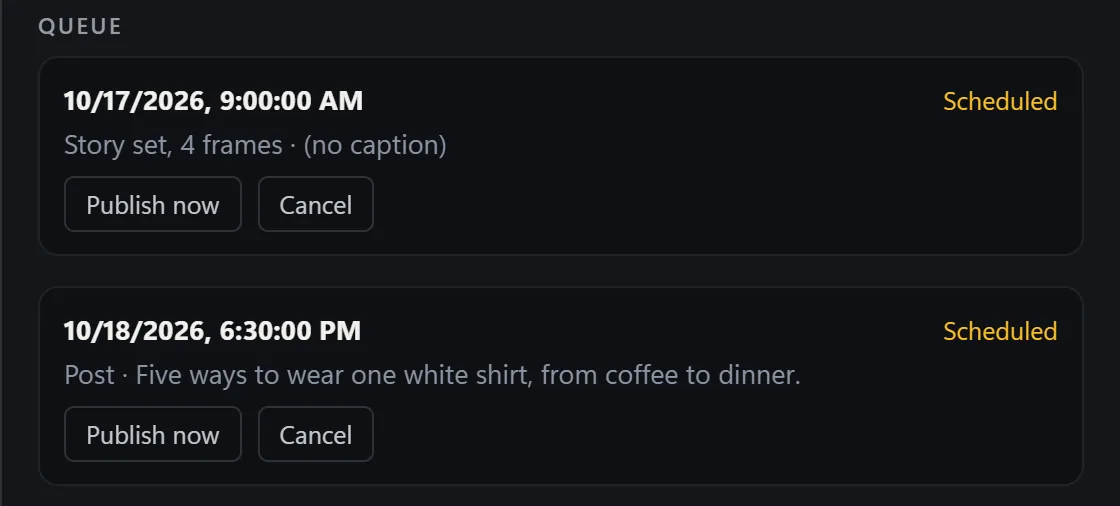
- Check it in the calendar: in InstaDesk's menu, More tools → Scheduled posts. Drag it to another day, press Publish now to post it early, or Cancel it.
What can instagram.com and Meta Business Suite do?
Instagram's website can't schedule a story. Meta Business Suite can create and schedule stories, but only for a business or creator account connected to a Facebook Page, and with fewer stickers; the story guide has its steps. InstaDesk works on any account you're logged in to on instagram.com in Chrome, personal accounts included.
What happens when the time comes?
- The story goes up from your own browser while Instagram is open in a Chrome tab. If your computer is asleep or Chrome is closed, it goes up when you're back, not at the minute you picked.
- Your files stay on your computer until they post. Nothing is uploaded to a server in advance.
- With two accounts in one Chrome, a story waits until you're back on the account that scheduled it.
- If the tab reloads in the middle of a story set, it picks up where it stopped and never posts a frame twice.
- Every attempt is logged as pending, published or failed, with the reason.
What's free and what's Pro?
On the free plan, 2 scheduled posts can wait at a time, and each frame of a story set counts as one, so a 4-frame set takes 4. Pro, $14.50 a month, schedules as many as you like and adds the bulk queue. On new installs, link stickers and songs from Add music have 3 free tries each, then they're Pro too. A plain photo or video story doesn't use a try. See the pricing section.
Common questions
Can you schedule an Instagram story on instagram.com?
No. Instagram's website can't schedule a story. Meta Business Suite can for professional accounts connected to a Facebook Page, and InstaDesk can in Chrome on any account.
Does my computer need to be on?
Yes, with Instagram open in a Chrome tab. InstaDesk has no servers posting for you, so a story whose time passes while the computer is off goes up when you next open Instagram.
Can I schedule a story with a link sticker?
Yes. Build the story with its link on the Story tab, then use the Schedule tab. On new installs, link stickers have 3 free tries, then they're part of Pro.
Can I schedule stories on a personal account?
With InstaDesk, yes: it works through the account you're logged in to on instagram.com. Meta Business Suite needs a business or creator account.