How to get more views on Instagram reels (2026)
Nothing guarantees views, but Instagram has said a lot about which reels it recommends. A reel that stalls has usually lost people in its first seconds, or broken a rule that keeps it from people who don't follow you. Here's what Instagram says, with sources, and how to check each point.
What Instagram is measuring
For each viewer, Instagram gathers about a hundred candidate reels and orders them by what it predicts that person will do. Meta's published card for the Reels feed lists those predictions, including whether they'll watch less than three seconds, whether they'll watch more than 95% of people who watched reels of the same length, and whether they'll comment, reshare, follow you or use your audio.
Adam Mosseri, the head of Instagram, said in January 2025 that the top three signals are watch time, likes and sends (people sending your reel to someone). Likes weigh slightly more with followers, and sends slightly more with people who don't follow you yet.
Sources: Meta Transparency Center, Instagram Reels Chaining system card, updated 11 November 2025; Social Media Today, Mosseri on the top ranking signals, 22 January 2025. Checked 12 November 2026.
First, rule out what stops a reel being recommended
Instagram holds the reels it recommends to a higher bar than the ones it shows your followers. Its Help Center says it may not recommend:
- Sensitive content, such as graphic violence, sexually suggestive material, or promotion of regulated products like tobacco or vaping.
- Low-quality publishing, such as content largely repurposed from another source, or long captions unrelated to the video.
- False or misleading content rated by independent fact-checkers.
Its FAQ for creators adds clickbait, engagement bait, contest and giveaway promotion, third-party watermarks and reels over 3 minutes. Only public accounts are recommended, and repeat breaches can make a whole account ineligible for a while. On a professional account, Account Status in your settings shows whether that has happened.
Sources: Instagram Help Center, Recommendations on Instagram; Instagram for Creators, Frequently asked questions and Recommendations on Instagram: what creators need to know, updated 25 April 2023. Checked 12 November 2026.
Win the first three seconds
Instagram's FAQ tells creators to make the first 3 seconds engaging so people don't move on. In March 2025 Mosseri called this the hook, and said it needn't be bait or a cliffhanger: it just has to get attention. He also suggested text on the video, since many people scroll with the sound off.
Our suggestions, not Instagram's:
- Open on the best moment, such as the result or the punchline, then show how you got there.
- Cut the run-up: no logo card, no greeting, no slow pan.
- Say what the reel is about in the first second, in a short line of text.
Sources: Instagram for Creators, Frequently asked questions; Inman, Head of Instagram reveals secrets to social media success, 7 March 2025. Checked 12 November 2026.
Watch time and length
In January 2025 Instagram let reels run to 3 minutes, up from 90 seconds, and made reels of up to 3 minutes eligible to be recommended in the Reels tab and Explore. Its FAQ says it recommends videos of 3 minutes or less to people who don't follow you.
Within that, length is a choice, not a lever. Meta's system card compares how much of your reel people watch with reels of the same length, so a long reel isn't marked down for being long. What counts is whether people stay, so cut every second that doesn't earn its place. Repeat views count as views, too. Our free video checker reads a file's length, shape and size against the reel specs.
Sources: Instagram for Creators, Finding success on reels in 2025, 21 January 2025, and Frequently asked questions; Meta, Reels Chaining system card; Social Media Today, Instagram switches to views, 7 August 2024. Checked 12 November 2026.
Post original work
Instagram's original content guidelines count video you filmed, designed or materially edited as original. Another account's video doesn't count, even with a border, a watermark, a speed change or a credit in the caption. Unoriginal reels can be left out of recommendations, and an account that mostly posts them can stop being recommended until a significant share of its last 30 days of posts is original again. Since 2024, when Instagram finds identical videos, it recommends the original rather than the repost.
Watch for watermarks. The FAQ says a third-party watermark may hurt a reel's reach, and Mosseri said in October 2024 that Instagram tries not to recommend reels with other apps' logos, though your own logo is fine. Export without your editor's watermark. To share someone else's reel, share it to your story, which credits them.
Sources: Instagram for Creators, Original content guidelines and Frequently asked questions; TechCrunch, Instagram updates ranking for smaller, original creators, 30 April 2024; Social Media Today, Your own logo on a reel is OK, 23 October 2024. Checked 12 November 2026.
Trending audio and Instagram's own music
Instagram's FAQ says trending audio can affect distribution, because it weighs a trend's popularity when ranking reels tied to it, and it spots trends partly by their audio. Neither that nor the system card says a trending sound guarantees views. Use one when it fits the video.
To join a sound, attach the song from Instagram's music library, so the reel shows the track name and links to its audio page. A song mixed into the file yourself just plays, with no link; our guide to adding music to a reel on desktop explains why. Instagram's licensed library is for personal, non-commercial use, and some business accounts get Meta's royalty-free Sound Collection instead, so a song you've heard elsewhere can be missing for you.
Sources: Instagram for Creators, Frequently asked questions; Meta, Reels Chaining system card; Instagram Help Center, Access to the licensed music library on Instagram. Checked 12 November 2026.
Text on screen, the safe zone and captions
Keep on-screen text where nothing covers it. The username, caption and audio line sit along the bottom, and the buttons run down the right. Meta's ad guide for Reels says to keep about 14% at the top, 35% at the bottom and 6% on each side free of text and logos: written for ads, but a safe margin for any reel. Instagram also advises creators not to let text cover most of the screen. Our free safe zone checker draws those margins over a frame.
If you talk, add captions. Instagram can generate them automatically; read them before posting, as names and slang come out wrong. Sound still matters: the system card counts how often a reel is watched with the sound on.
Sources: Meta, Ads Guide: Instagram Reels; Instagram for Creators, Recommendations on Instagram: what creators need to know; TechCrunch, Instagram rolls out auto-generated captions, 1 March 2022; Meta, Reels Chaining system card. Checked 12 November 2026.
Covers
The cover is what people see on your profile before they tap. Since January 2025 the grid shows tall rectangles instead of squares, so a 9:16 cover loses its top and bottom there; keep faces and words central. In the phone app you can change a posted reel's cover from Edit. Instagram hasn't said covers affect ranking, but a clear one helps people choose what to watch next. Our reel cover maker shows the grid crop, and this guide covers every way to set one.
Sources: Business Today, 3-minute reels and a new profile grid, 21 January 2025; Later, Instagram reels cover photo guide. Checked 12 November 2026.
Test ideas with trial reels
A trial reel is shown to non-followers first and stays off your grid and your followers' feeds unless you share it to everyone. After about 24 hours you can see its views, likes, comments and shares, and you can let Instagram share it with followers automatically if it does well in roughly its first three days. Create a reel as usual and turn on Trial before sharing. It's the cleanest way to test a new hook or topic.
Instagram rolled trial reels out to professional accounts in December 2024. In July 2025 Mosseri said they were available to creators with public accounts and at least 1,000 followers. No toggle means your account doesn't have them yet.
Sources: Instagram for Creators, Trial reels, 10 December 2024; TechCrunch, Instagram rolls out trial reels, 10 December 2024; Social Samosa, Instagram introduces wider access to trial reels, 14 July 2025. Checked 12 November 2026.
Collabs
A collab is a reel you co-author with another account. Once they accept, both names show at the top, the reel appears on both profiles and goes to both sets of followers, with one shared view count, like count and comment thread. Instagram suggests collabs over uploading each other's videos. Pick partners whose followers would want your reel. Set it up in the phone app: the Help Center says collabs aren't available on computers.
Sources: TechCrunch, Instagram is adding Collabs, 19 October 2021; Instagram Help Center, Create collaborative posts on Instagram; Instagram for Creators, Recommendations on Instagram: what creators need to know. Checked 12 November 2026.
Post consistently
Instagram's creator team wrote in January 2025 that posting original content consistently is one of the most effective ways to grow. Its FAQ says creators with the fastest net follower growth post 10 or more reels a month on average, while noting frequency is one factor among many. Mosseri has said more posts mean more chances to reach people, but to pick a pace you can keep. The FAQ also suggests replying to comments within a reel's first 7 days. Film several reels in one session and keep a list of ideas, so a busy week doesn't become a silent month.
Sources: Instagram for Creators, Finding success on reels in 2025, 21 January 2025, and Frequently asked questions; Inman, Head of Instagram reveals secrets to social media success, 7 March 2025. Checked 12 November 2026.
Read your reel insights
Open a reel in the app and tap View insights. Worth reading:
- Views. Instagram's main measure since 2024, in place of plays. Repeat views count.
- Accounts reached, followers and non-followers. If nearly all of it is followers, the reel isn't being recommended much.
- Average watch time, one of the three numbers Mosseri said to watch.
- Skip rate, if you have it: the share of views skipped in the first 3 seconds, announced in August 2025 to replace view rate. A high one points at your opening.
- Retention, a chart of how many viewers are still watching at each moment. A sharp drop shows the second to cut next time.
- Shares and likes. Mosseri suggested reading sends and likes against reach, so compare rates, not totals.
Compare your reels with each other, and change one thing at a time.
Sources: Social Media Today, Instagram switches to views, 7 August 2024, Mosseri on the top ranking signals, 22 January 2025, and Instagram adds retention insights for reels, 24 August 2025; Instagram for Creators, Recommendations on Instagram: what creators need to know. Checked 12 November 2026.
Myths worth dropping
- “More hashtags, more reach.” Since December 2025 a reel can carry up to 5, and Instagram says a few targeted ones beat many generic ones. See our hashtag guide.
- “Long captions hurt reach.” Mosseri said in August 2025 that caption length won't change reach much either way.
- “Sharing your reel to your story boosts it.” In April 2026 Mosseri said re-sharing your own post to your story won't meaningfully change its reach.
- “Any logo gets you buried.” Only other apps' logos. Your own is fine.
- “You need a big following first.” Instagram shows eligible reels to a small audience first and widens the ones that do well, which it says gives creators of all sizes an equal chance.
- “I've been shadowbanned.” Instagram says hiding content without explanation isn't its intention. Check Account Status, which shows when your content can't be recommended.
Sources: Instagram's @creators on Threads, 18 December 2025, reported the same day by Social Media Today; Social Media Today, Longer captions don't impact reach, 24 August 2025, Instagram chief debunks popular engagement hack, 6 April 2026, and Your own logo on a reel is OK, 23 October 2024; TechCrunch, 30 April 2024; Instagram for Creators, Finding success on reels in 2025; Instagram, Instagram Ranking Explained, by Adam Mosseri, 31 May 2023. Checked 12 November 2026.
Posting reels from a computer
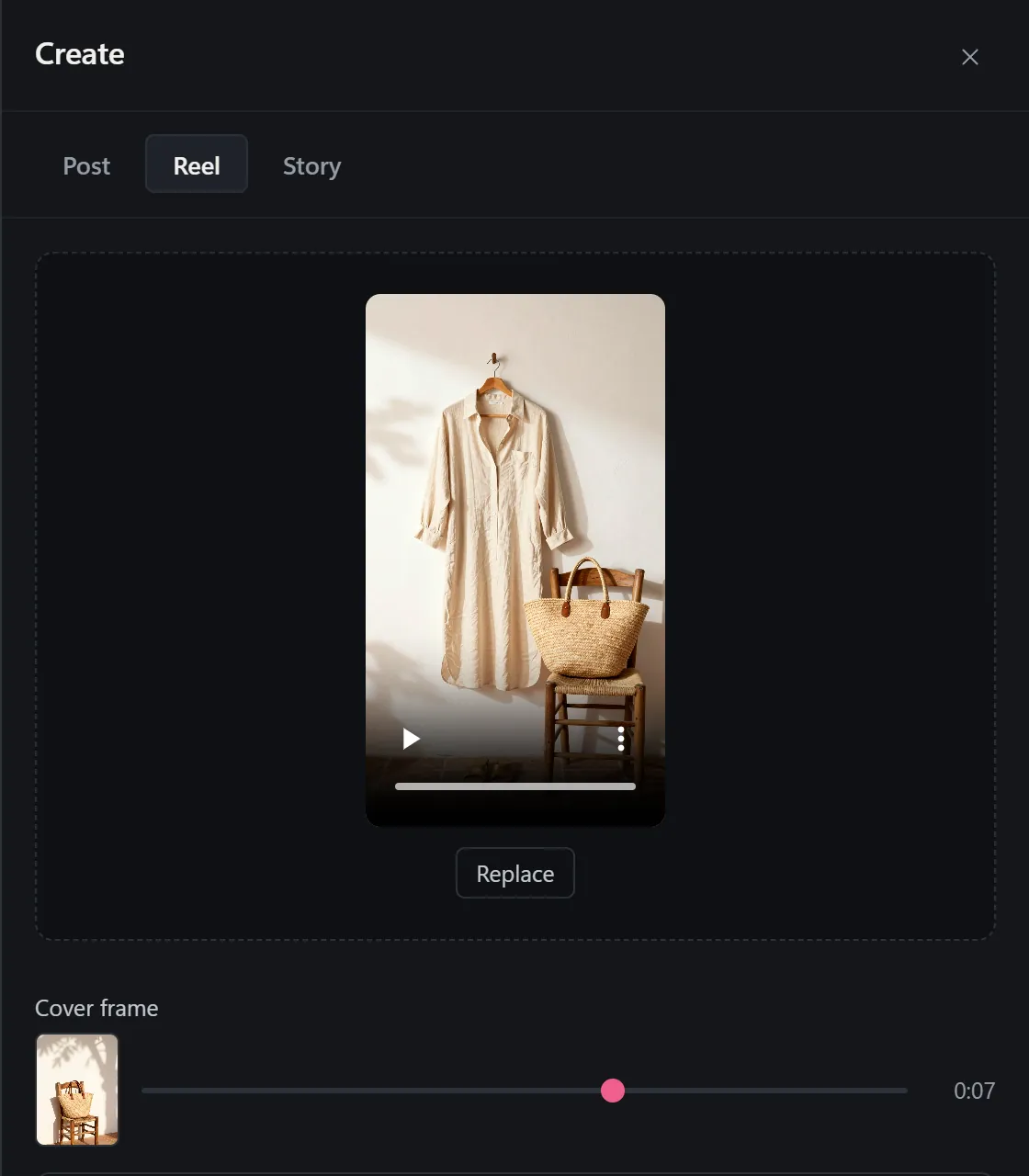
If you edit on a computer, InstaDesk posts the reel from Chrome on instagram.com. Posting is free. It can attach Instagram's own songs, so the track name shows as if you'd added it in the app; new installs get 3 free songs, then songs are part of Pro. A slider lets you pick any frame as the cover. See how to post reels from your PC. It won't get a reel more views: what Instagram ranks is the reel itself.
Common questions
How long should an Instagram reel be to get views?
3 minutes or less if you want it shown to people who don't follow you. Within that there's no ideal length: Meta compares how much of your reel people watch with reels of the same length, so make it as long as the idea needs.
Do hashtags help reels get views?
A little, by telling Instagram what the reel is about. You can use up to 5, and Instagram says a few targeted ones work better than many generic ones.
Why do my reels only get views from my followers?
Check Account Status first. Then check the reel for another app's watermark, reposted footage or a length over 3 minutes. If none apply, look at its skip rate and retention: reels people leave early aren't shown widely.
Who can use trial reels?
Instagram rolled them out to professional accounts in December 2024, and in July 2025 the head of Instagram said they were available to creators with public accounts and at least 1,000 followers. If you don't see the Trial toggle, your account doesn't have it yet.
Will posting reels from a computer change my views?
Not that Instagram has said. Its advice for creators is about the reel itself, not the device or tool you post from. InstaDesk doesn't promise more views.
More guides
- Instagram caption ideas: 150 examples
- 30 Instagram carousel ideas and tips
- 60 Instagram story ideas for small businesses
- How to sell on Instagram in 2026
- Instagram bio ideas: 120 examples by niche
- How to get more views on Instagram stories
- How to grow on Instagram in 2026
- Best time to post on Instagram in 2026
- How the Instagram algorithm works in 2026
- How to post reels from your PC
- How to add music to a reel on desktop
- How to pick a custom Instagram reel cover
- How to choose Instagram hashtags
- How to schedule Instagram posts
- How to post to Instagram from a PC
- Free Instagram video checker
- Free story and reel safe zone checker
- Free reel cover maker
- Free Instagram tools